
Test
Six grades, what each does to the due date, and why you grade after recalling.
The test is the main session. It shows cards that are due and your answer recomputes when each one comes back.
It is the only part of the day with a due date — which is why it comes first. The whole day is described on A day with Memorate.
Starting one
Tap the Today test tile in the summary (across every deck), or the Test tile on a specific deck. The session starts straight away, with no further question.
The question phase
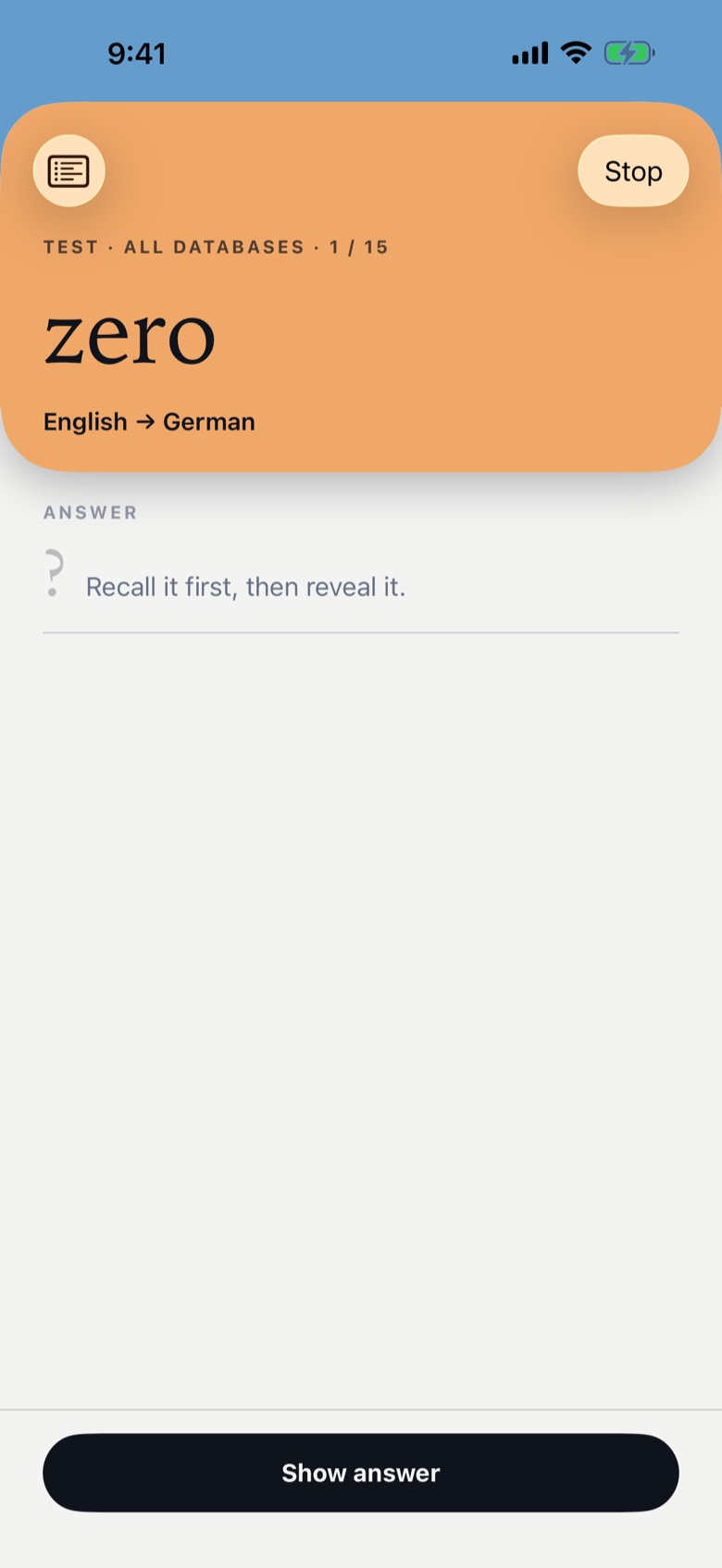
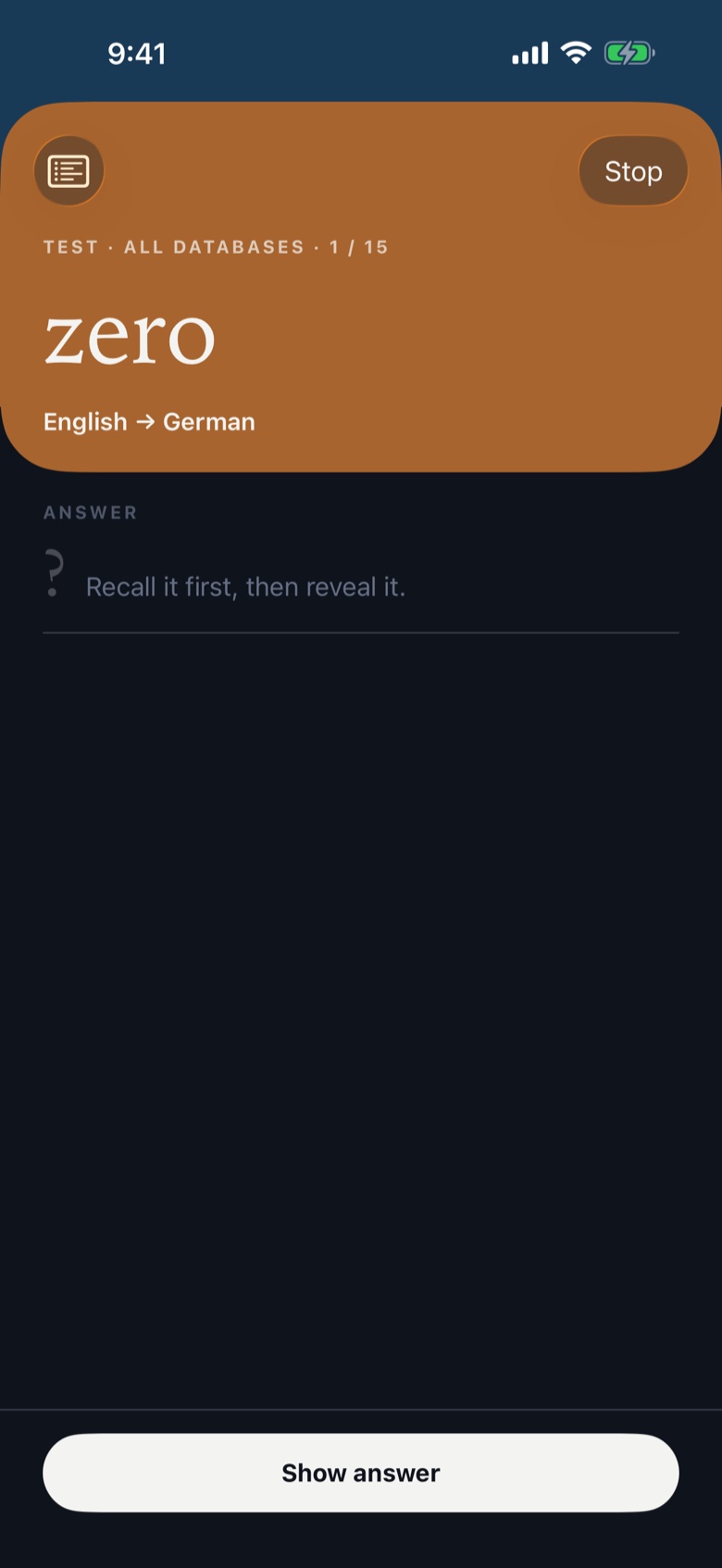
At the top is the session header on a single line: the deck name (or All databases), Done and Remaining.
In the middle is the question and any extra fields configured as hints.
When the test runs across all databases, the name of the database this card comes from sits next to the Question label, aligned right. Without it, a language deck gives no clue whether you are translating into Italian or into English. In a single-deck session it is not repeated — the header carries it.
On a small iPhone the header and the grade bar are shorter, and the card image shrinks so the answer fits on screen without scrolling. The image height set on the database is a ceiling, not a size.
Recall the answer first, and only then tap Show answer. The whole model rests on you genuinely attempting it. Whoever just looks and thinks "I knew that" ends up with nonsensically long intervals.
The answer phase
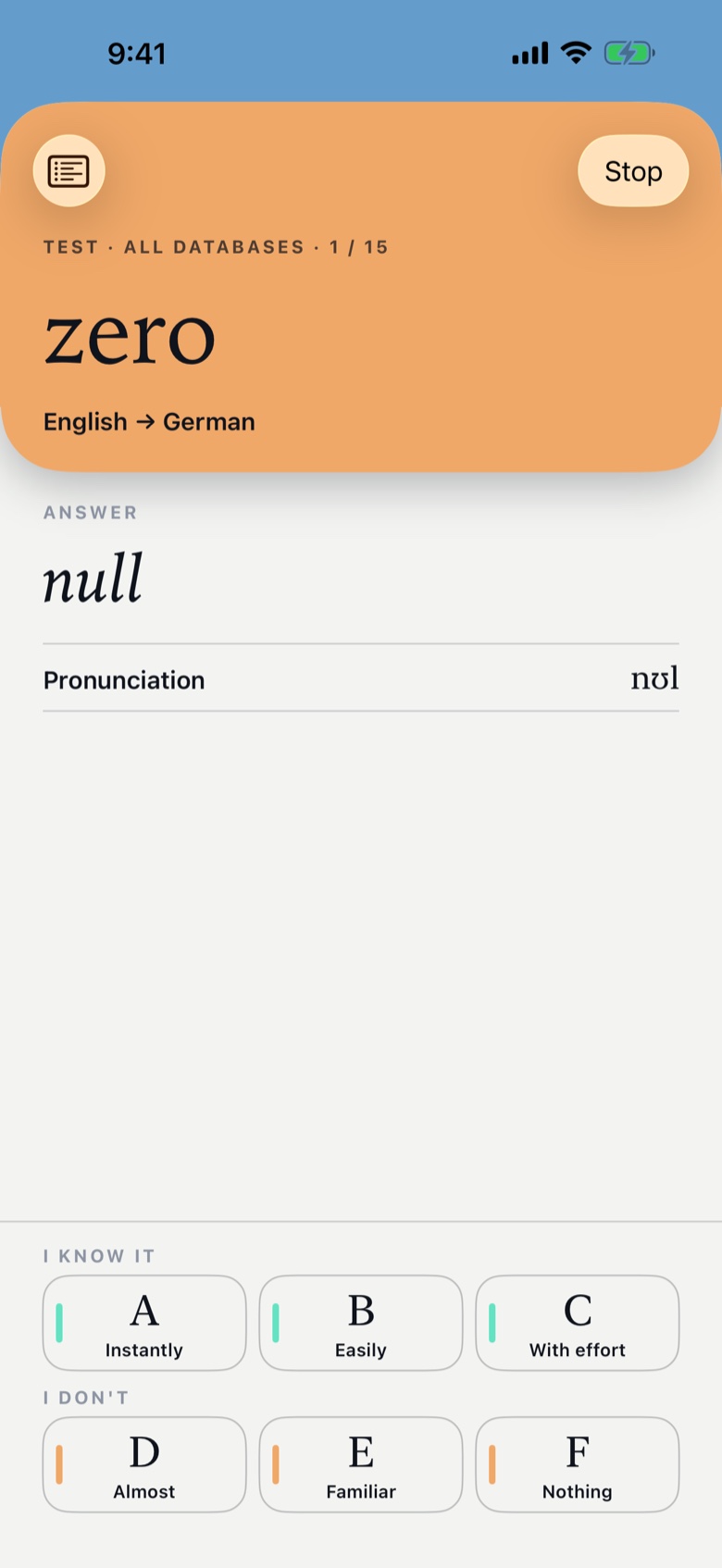
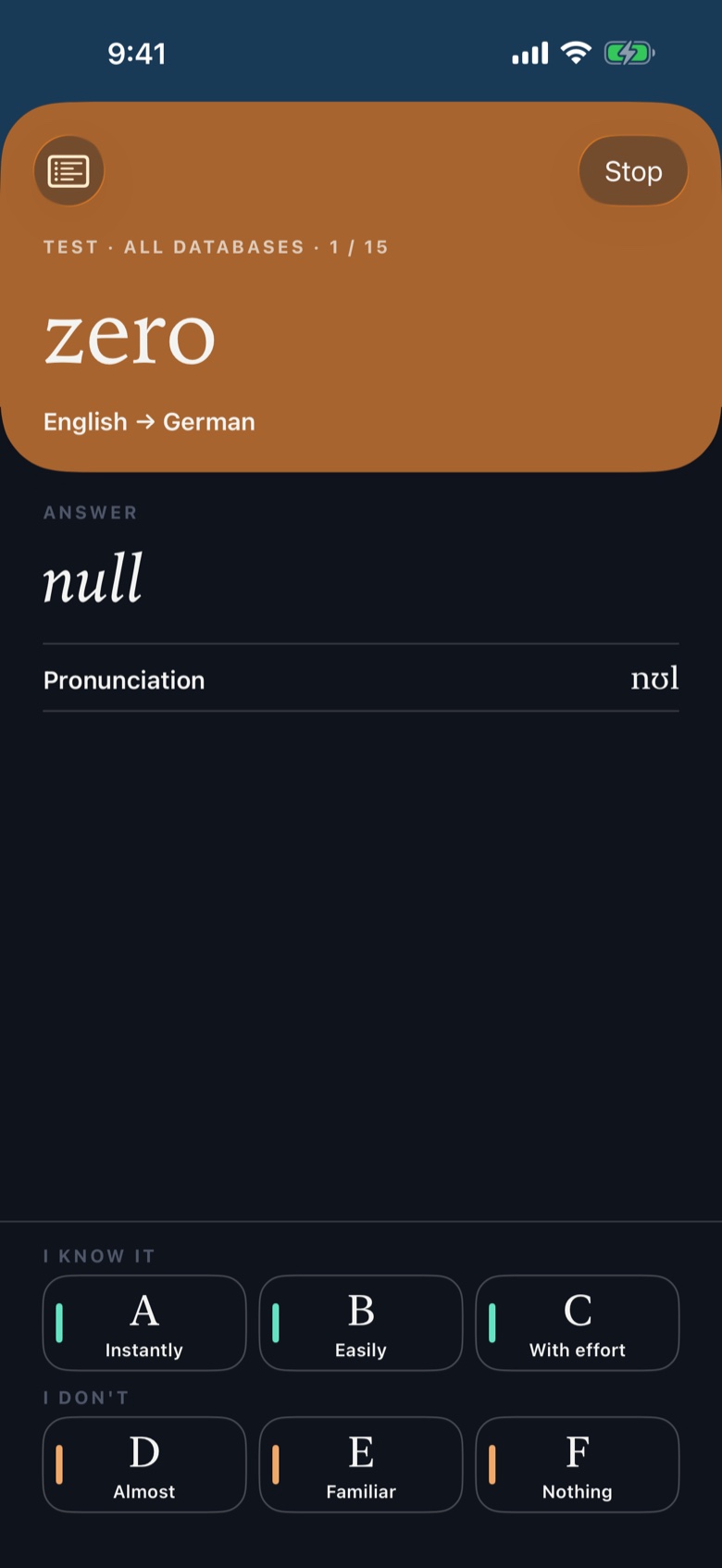
The answer is revealed and six grades appear in two groups. Turn the phone sideways and they move to a column on the right — landscape leaves little height, and a bar along the bottom would take more than half of it. The top bar hides too: Stop and the link to the card's details move into the column, so the question and answer start at the top edge.
The top three say how quickly it came, the bottom three how close you got.
I know it
| Grade | When to pick it |
|---|---|
| A — Instantly | it came at once, no hesitation |
| B — Easily | it came, it took a moment |
| C — With effort | you got there, but it was close |
I don't
| Grade | When to pick it |
|---|---|
| D — Almost | it was on the tip of your tongue, but wrong |
| E — Familiar | the answer rings a bell, but you would not have produced it |
| F — Nothing | nothing at all |
The buttons do not say when the card comes back. The number used to be there, but it changed the question you were answering: instead of "how did that go" you started weighing "when do I want to see this again". Honest grading is what the whole schedule rests on.
You see the resulting interval after you answer, and in the card detail.
What happens to the card
| Counts as a recall | Falls into the drill | |
|---|---|---|
| A, B | yes | no |
| C | yes | yes |
| D, E, F | no | yes |
C is the only grade that is both a success and a reason to practise. You recalled it, but it was hard — the schedule moves forward and the card shows up once more today in the drill.
Stats after an answer
In detailed mode you can turn on Show stats after answer from the session menu. After every grade a step appears showing what happened to the card — the new interval, difficulty and stability, with the previous value in brackets.
Continue with Next card or the space bar.
The end of a session
When the queue runs out you get a summary: how many cards you answered, how many are still in the drill, and when the next test is — Today, Tomorrow or in how many days, with the date. A card due tomorrow is in the test from midnight, so no time is given.
You can stop a session at any time with Stop at the top right. Answered cards stay answered — nothing is thrown away.
An empty queue
Nothing to test means either you are done for today, or you have not committed any cards yet.
Keyboard
On an iPad with a keyboard:
| Key | Action |
|---|---|
| space | show answer / next card |
| 1 – 6 | grades A to F |
| Esc | end the session |